 IT Academy Pro Team

Introduction
Computer networking is an integral part of IT and companies use networks to connect staff, share information, use cloud based apps and more. As companies grow their IT infrastructures, they will need more networking professionals.
To help you with your career in networking, the Cisco Certified Network Associate is a great way to get started.
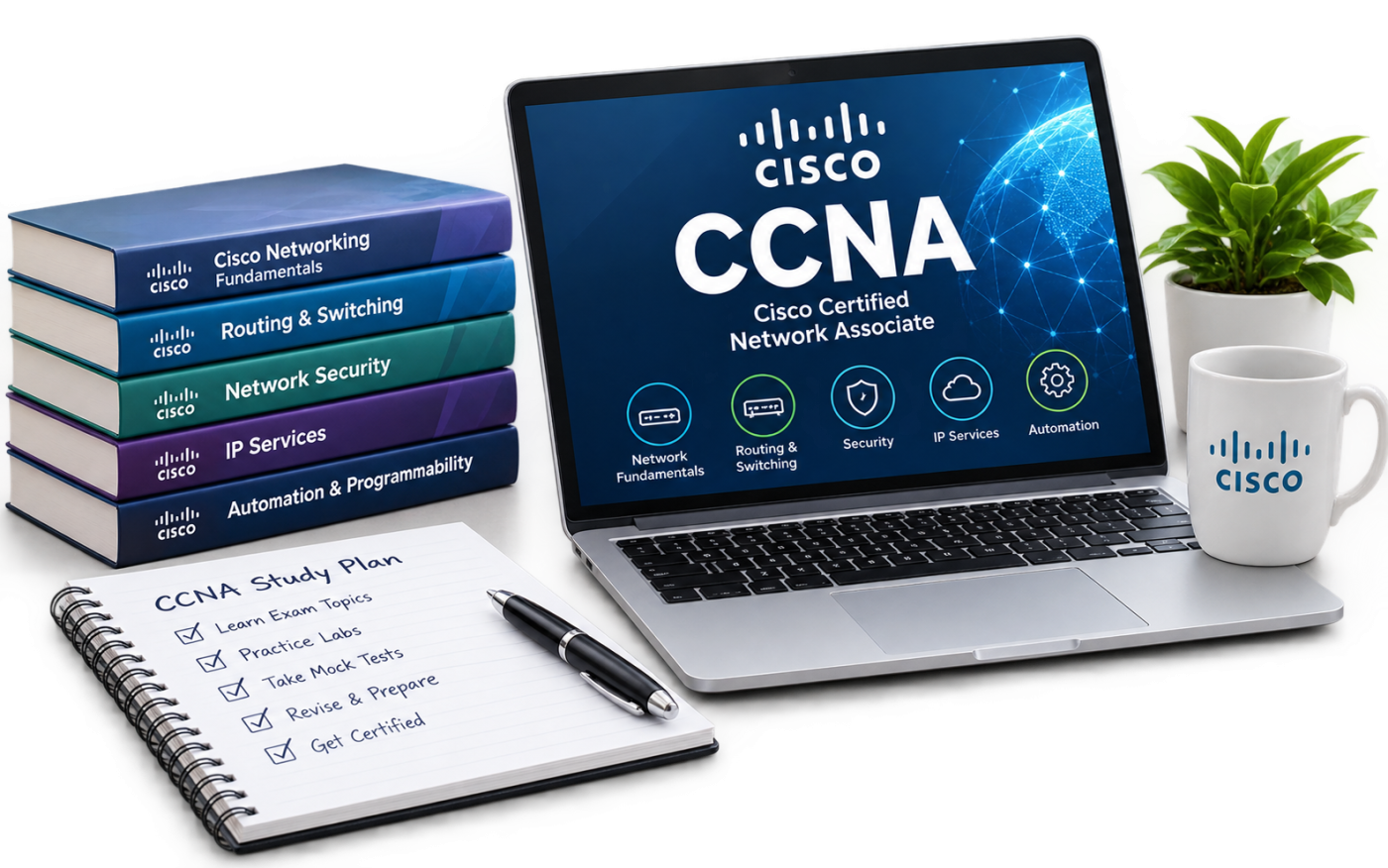
The Cisco Certified Network Associate (CCNA) Certification is a globally recognised certification that demonstrates your understanding of networking fundamentals, routing, switching, IP services, network security and automation.
Whether you're a student, new to IT or a professional, the CCNA can help build your technical skills.
In this guide we'll discuss the exam details, exam topics, skills and how to prepare for the exam. We will also discuss the career opportunities and common questions.
What is CCNA Certification?
CCNA stands for Cisco Certified Network Associate. It is an associate level certification that proves your knowledge and skills in networking.
The certification focuses on building, configuring, managing, securing and troubleshooting computer networks using the following topics:
Network fundamentals
IPv4 and IPv6 addressing
IP Subnetting
Routing and switching
VLANs
Network Access Technologies
IP Services
Security Fundamentals
Wireless Networking
Automation & Programmability
You will need to pass an exam to obtain this certification.
200-301 CCNA – Implementing and Administering Cisco Solutions
The CCNA provides a solid foundation in networking and can prepare you for roles such as network administrator, network engineer, IT support and infrastructure.
Why is CCNA Certification Important?
The CCNA is a valuable certification as it provides a solid foundation in networking and practical skills using modern networking technologies.
Below are 5 reasons why the CCNA is a great certification.
1. Understand Networking Fundamentals
Understand how routers, switches, servers, firewalls and wireless access points communicate. Understand IP addressing, subnetting, routing protocols and how networks communicate.
2. Practical Skills
Configure network devices, create VLANs, assign IP addresses, configure routing and troubleshoot.
3. Improve Your Career Opportunities
Having the CCNA can improve your career prospects when applying for roles such as Network Support Engineer, Junior Network Engineer, Network Administrator, NOC Engineer and IT Support Engineer.
4. Prepare for Higher Level Certifications
Once you've passed your CCNA you can move onto higher level certifications such as CCNP Enterprise, CCNP Security, Cisco DevNet Associate & CCIE Enterprise Infrastructure.
5. Understand Modern Networking Technologies
The CCNA covers controller based networking, APIs, JSON and automation so you can understand how modern infrastructure is managed.
CCNA Certification Exam Details 2026
Ensure you know exam details before you begin your studies.
Exam Certification: Cisco Certified Network Associate
Exam Code: 200-301 CCNA
Exam Version: v1.1
Exam Title: Implementing and Administering Cisco Solutions
Duration: 120 Minutes
Cost: $300 USD
Provider: Pearson VUE
Languages: English & Japanese
Prerequisites: None
Pass/Fail
Certification Validity: 3 Years
The official exam is $300 USD. Taxes and currency charges may apply.
The exam may contain multiple choice, drag and drop and performance based questions.
Important Note: Cisco have confirmed that the last date to sit the CCNA v1.1 exam is 2nd February 2027. The new CCNA v2.0 exam will be available from 3rd February 2027. Ensure you check the official exam blueprint for your chosen exam.
CCNA 200-301 Exam Topics & Domains
Currently, the CCNA v1.1 exam contains 6 main domains which make up the exam.
1. Network Fundamentals (20%)
This domain covers the fundamentals of networking.
Key topics include:
Network Devices – Router, Layer 2 & Layer 3 Switches, Firewall, Wireless Access Points, Controllers, Server, Endpoints
Network Topologies – Two Tier, Three Tier, Spine Leaf, WAN, SOHO, On Premise & Cloud
Network Cabling – Copper Cable, Single Mode Fibre, Multi-mode Fibre
TCP/UDP – Understand Connection Oriented & Connectionless Communication.
IPv4 Addressing – IP Addressing, Subnet Mask, Private Addresses & Subnetting.
IPv6 Addressing – Global Unicast, Link Local, Unique Local, Multicast & Anycast.
Wireless – SSID, RF, Channels & Encryption.
Virtualisation – VMs, Containers, VRF
Switching – MAC Address Learning, Frame Forwarding, Flooding & MAC Tables.
2. Network Access (20%)
This domain covers switching and how devices communicate in local area networks.
Key topics include:
Create & Configure VLANs
Access Ports
Trunk Ports
IEEE 802.1Q VLAN Tagging
Native VLAN Configuration
Inter-VLAN Routing
CDP & LLDP
Etherchannel & LACP
Spanning Tree Protocol (STP)
RPVST+
Root Bridge & Port Roles
PortFast & BPDU Guard
Wireless Access Points & Wireless LAN Controllers
Example: A company can create VLANs for their HR, Finance & IT department to help organise their network and improve network management.
3. IP Connectivity (25%)
This is the largest section of the current CCNA v1.1 exam. This section covers routing and how data travels between networks.
Key topics include:
Routing Fundamentals
Routing Table
Static & Default Routes
IPv4 & IPv6 Routing
Administrative Distance
Routing Metrics
Floating Static Routes
Longest Prefix Match
Single Area OSPF
OSPF Neighbour Relationships
First Hop Redundancy
Example: If a company has 2 offices in different cities, their routers need to be configured so staff can communicate with each other. This requires a good understanding of IP addressing, routing tables and routing protocols.
4. IP Services (10%)
This section covers services to help devices communicate, assign IP addresses and manage networks.
Key topics include:
NAT – Network Address Translation (Static NAT, Dynamic NAT & PAT)
DHCP – Automatically assign IP configurations to network devices.
DNS – Convert domain names to IP Addresses.
NTP – Synchronise time on network devices.
SNMP – Monitor network infrastructure.
Syslog – Collect logs from network devices.
QoS – Managing network traffic using classification, marking, queuing, policing & shaping.
SSH – Secure remote management of network devices.
FTP & TFTP – Understand File Transfer Protocols.
5. Security Fundamentals (15%)
This section covers securing your business infrastructure.
Key topics include:
Security Threats and Vulnerabilities
Security Awareness & Physical Security
Device Passwords & Local Authentication
AAA
RADIUS & TACACS+
Remote Access & Site to Site IPsec VPNs
Standard & Extended Access Control Lists (ACL)
Port Security
DHCP Snooping
Dynamic ARP Inspection
Wireless Security (WPA, WPA2 & WPA3)
6. Automation & Programmability (10%)
Modern businesses are moving away towards using automation.
Key topics include:
Traditional Networking & Controller Based Networking
Software Defined Networking (SDN)
Control Plane & Data Plane
Network Controllers
Northbound & Southbound APIs
REST APIs & HTTP Methods
CRUD
JSON
Ansible & Terraform
Generative AI, Predictive AI & Machine Learning
What Skills Will CCNA Give Me?
By studying for your CCNA you will develop practical skills that can be used in IT.
Router Configuration – Configure router interfaces, assign IP addresses, static routes and confirm routing info.
Switch Configuration – Create VLANs, configure access/trunk ports.
IP Addressing & Subnetting – Calculate subnets, network addresses, broadcast addresses and usable host ranges.
Troubleshooting – Identify any connectivity issues, check configurations, confirm interface status and check routing tables.
Security – Understand ACLs, Authentication, Port Security, Secure Remote Access & Wireless Security.
Wireless – Understand wireless access points, controllers, SSIDs & Wireless Security.
Monitoring – Understand how to use SNMP, Syslog & NTP.
Automation – Understand the basics of using APIs, JSON & Automation.
How to Prepare for the CCNA 200-301 Exam
By understanding the theory, practicing and regularly revising you can effectively prepare for the CCNA.
Follow these 8 steps to help prepare.
1. Understand Exam Objectives
Review the official Cisco exam blueprint to ensure you understand all 6 domains. Create a checklist to track your progress and focus on exam topics.
2. Understand Networking Fundamentals
Start with the basics. Understand LAN, WAN, Routers, Switches, IP Addresses, MAC Addresses, DNS, DHCP & TCP/IP.
3. IP Addressing & Subnetting
Practice calculating network address, broadcast address, usable host range, subnet mask, CIDR notation and number of hosts available. Understand IPv6 addressing.
4. Labs
Practicing is very important when understanding networking.
Useful tools:
Cisco Packet Tracer – Easy to use network simulator.
GNS3 – Network Emulation.
Cisco modelling labs – Cisco network simulator.
Wireshark – Packet capture.
Practicing configuring VLANs, routing, DHCP, NAT, ACLs & SSH.
5. Cisco IOS Commands
Understand common Cisco commands.
Command Description
enable Enter Privileged EXEC Mode
configure terminal Enter Configuration Mode
show running-config Show Running Configuration
show ip interface brief Confirm Interface Status
show ip route Show Routing Table
show vlan brief Show VLAN Info
show interfaces Show Interface Info
ping Check Connectivity
traceroute Trace Route
copy running-config startup-config Save Configuration
Try practicing these commands in different scenarios.
6. Routing & Switching
Focus on VLANs, Trunk Ports, Etherchannel, STP, Static Routing, Default Routes and Single Area OSPF.
Try creating your own networks and troubleshooting issues.
7. Practice Tests
Use practice tests to identify your weaknesses. Improve your time management and go over any tricky topics. Try to understand why the answer is correct rather than memorising.
8. Revision & Book Exam
Ensure you revise all 6 domains. Spend extra time on subnetting, routing, VLANs, OSPF, ACLs & Troubleshooting.
Book your exam using the Cisco certification system and Pearson VUE. Ensure you select the correct exam version.
Suggested Study Plan for Beginners
Following an 8 week study plan can help.
Week Topic Practical
Week 1 Network Fundamentals Devices, Topologies & TCP/IP.
Week 2 IPv4, IPv6 & Subnetting IP Calculations.
Week 3 Network Access Create VLANs & Trunks.
Week 4 IP Connectivity Routing & OSPF.
Week 5 IP Services DHCP & NAT.
Week 6 Security Fundamentals ACLs & Port Security.
Week 7 Automation & Revision APIs & JSON.
Week 8 Final Revision Complete Labs & Practice Tests.
This is a suggested study plan. Depending on your current knowledge and how many hours you can study per day you may need to spend more time.
Best Resources to Help You Prepare for the Exam
Using reliable resources can help you.
1. Cisco
View the official Cisco information, training resources & exam objectives.
https://www.cisco.com/site/us/en/learn/training-certifications/certifications/enterprise/ccna/index.html
2. Cisco Packet Tracer
Create network topologies, configure routers & switches and confirm connectivity without purchasing any equipment.
3. Wireshark
Capture & Analyse network traffic to understand protocols such as TCP, UDP, DNS & DHCP.
4. Cisco Press
Buy networking books to help understand technical concepts.
https://www.ciscopress.com/
5. Online CCNA Training Courses
Choose well structured courses that cover all exam topics. Include demonstrations & configuration, subnetting & revision tests.
What Jobs Can I Get With CCNA Certification?
The CCNA can help you build a foundation for various networking & IT infrastructure roles.
Common roles include:
Network Support Engineer – Diagnose and resolve network connectivity issues. Assist users.
Junior Network Engineer – Assist with configuring, managing & troubleshooting network infrastructure.
Network Administrator – Manage routers, switches, network access & infrastructure.
NOC Engineer – Monitor network infrastructure. Investigate alerts & resolve technical issues.
IT Support Engineer – Diagnose & resolve issues with computers, hardware, software & networks.
Network Operations Engineer – Assist with keeping networks reliable, available & performing.
Keep in mind that having the certification won't guarantee you a job. Having practical experience, troubleshooting skills and good communication will also be important.
Is CCNA Worth Doing in 2026?
Yes! The CCNA can be a great certification if you want a career in networking & IT infrastructure.
The certification covers core technologies used in modern enterprise networks such as routing, switching, IP services, security, wireless & automation.
It is a great certification for students, those new to IT, help desks and professionals wanting to improve their networking knowledge.
The real value of the certification comes from putting your knowledge into practise. Combine your studies with practical labs, troubleshooting and continuous learning to improve your skills.
What Can I Do After Getting My CCNA?
Once you have your CCNA you can choose to specialise in a certain area.
CCNP Enterprise – Build advanced knowledge around enterprise networking.
CCNP Security – Focus on enterprise network security.
Cisco DevNet Associate – Gain an understanding of programming, APIs & network automation.
CCIE Enterprise Infrastructure – Move towards becoming an expert in enterprise networking.
Cybersecurity Certifications – Look into certifications such as CompTIA Security+ & Cisco Cybersecurity Certifications.
Choose the next certification based on your goals and the technical area you want to specialise in.
FAQs
1. What does CCNA Certification mean?
The CCNA is an associate level certification from Cisco that proves your knowledge of networking fundamentals, routing, switching, security, IP services & automation.
2. What is the exam code?
The current exam is 200-301 CCNA.
3. What is the exam cost?
The official exam costs $300 USD. Taxes & currency charges may apply.
4. How long is the exam?
The exam is 120 minutes long.
5. Any requirements?
There are no requirements. However, knowing the basics of networking will help.
6. Can beginners do it?
Yes! You can start with the basics of networking and work your way through routing, switching, security & automation.
7. Do I need any experience?
No professional experience is required however it is highly recommended to complete practical labs.
8. How long will it take me to prepare?
Many beginners can complete an 8-12 week study plan. However, this depends on your current knowledge and how much time you have to study.
9. Is the exam done through Pearson VUE?
Yes! All Cisco certifications are done through Pearson VUE. Ensure you check the options available.
10. How long is the certification valid for?
The certification is valid for 3 years depending on Cisco's recertification requirements.
11. How is CCNA different to CCNP?
The CCNA provides associate level knowledge around networking whereas the CCNP focuses on more advanced professional level networking technologies.
12. Can I get a job after completing CCNA?
The CCNA can help improve your profile for entry level networking roles. However, having practical experience and technical skills will be important.
13. Is CCNA still worth doing in 2027?
Yes! Ensure you prepare using the official exam objectives for the date you are sitting the exam.
14. Will CCNA v2.0 replace v1.1?
Cisco have confirmed the last date to sit the CCNA v1.1 exam is 2nd February 2027. The v2.0 exam will be available from 3rd February 2027.
Conclusion
The Cisco CCNA certification is a great way to start building your career in computer networking.
It provides a solid foundation in routers, switches, IP addressing, subnetting, VLANs, routing protocols, IP services, network security & automation.
Preparing for the exam will give you insight into how modern networks operate and how networking professionals configure, manage & resolve issues with network infrastructure.
By combining your studies with practical labs, regular revision & troubleshooting you can succeed.
Whether you want to become a Network Administrator, Network Engineer, NOC Engineer or IT Support Engineer the CCNA can help you take an important step in your career.
Develop your networking knowledge, improve your practical skills and advance your IT career with the Cisco CCNA certification.
Start Your CCNA Learning Journey With IT Academy Pro
At IT Academy Pro learners can access professional IT training & certification resources to help build industry knowledge & skills.
Visit our learning platform to discover IT courses, certification resources & opportunities for growth.
LMS: https://lms.itacademypro.com/
Website: https://itacademypro.com/
Gallery
Ready to Upgrade Your IT Skills?
Explore professional IT courses and discover new learning opportunities with IT Academy Pro.
Explore Our LMS https://lms.itacademypro.com/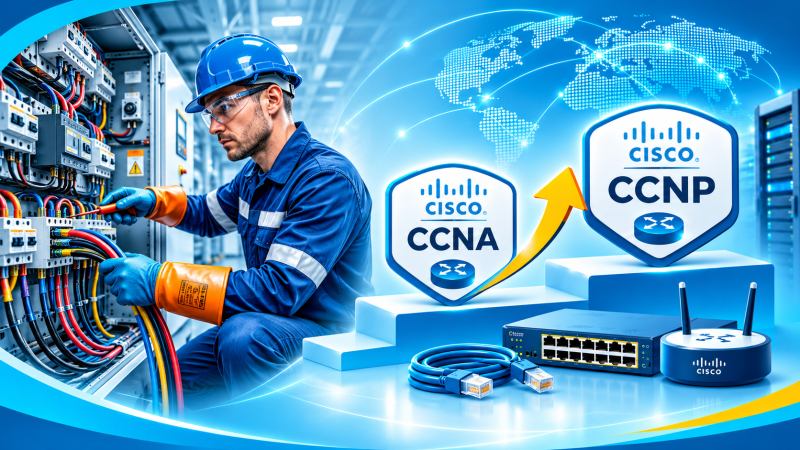

Comments (0)
Share your thoughts about this article.
No comments yet. Be the first to comment!
No comments yet. Be the first to comment!